



The dedicated Resume Builder tool is gone, but you can still turn around a quick, simple resume from your LinkedIn profile when you need it.
LinkedIn officially discontinued it’s dedicated Resume Builder tool in June 2024 (RIP to that handy tool).
It has since been replaced with a new AI-assisted feature for Premium subscribers, which we understand not everyone subscribes to. The new tool offers feedback and guidance for tailoring your resume to specific job descriptions, which is cool, if you’re got that sweet Premium access. If you’re sitting in General Admission over at LinkedIn Stadium, fret not. you can still generate a basic resume document by downloading your profile as a PDF, producing a pretty neat, formatted CV. Here’s how:
1. Optimise Your LinkedIn Profile
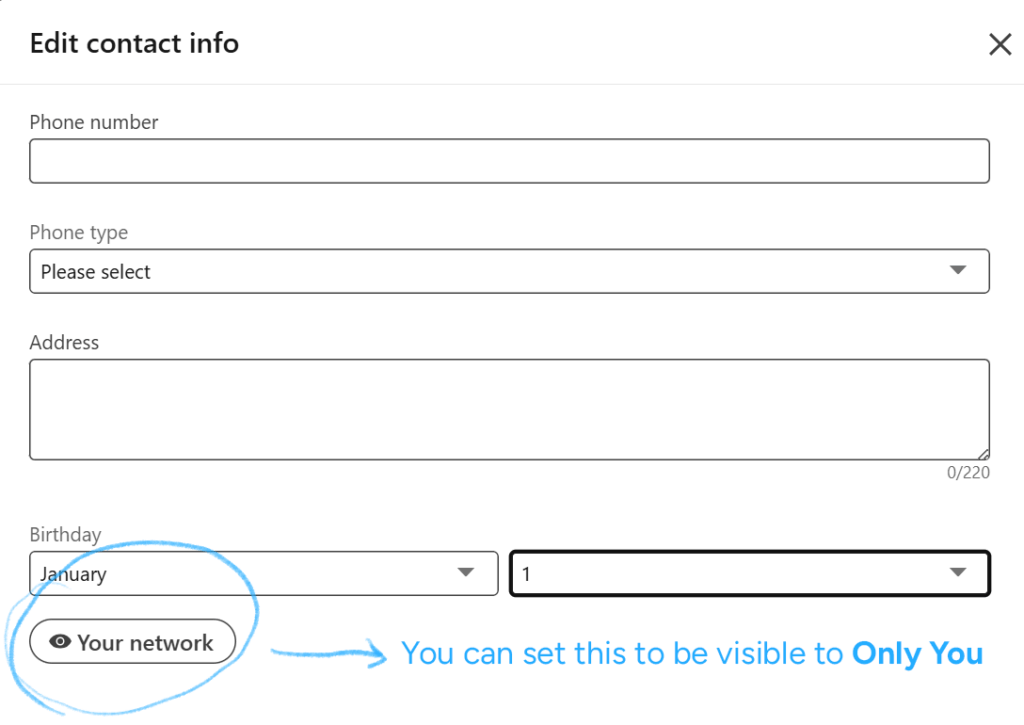
You can include your contact details in the intro section of your profile, to include on your resume:

Once you enter your details, you can ensure they are kept private:
Review your Experience section. Make sure you list as much of your experience as possible (within the character limit).
The Description for each position allows up to 2,000 characters. Fill this in with as much relevant and compelling skills, attributes and accomplishments as you can. This will be used as the main content for your resume.
2. Save Your Profile as a PDF
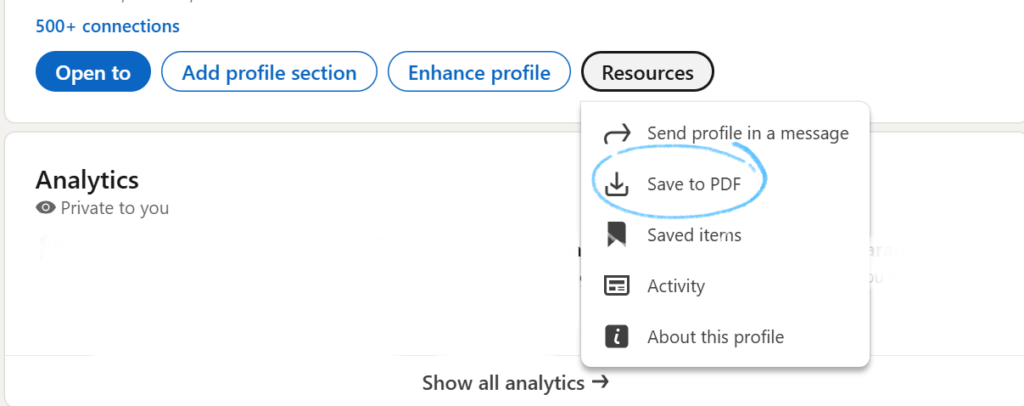
Once your profile is polished to a see-your-face-in-it high shine, you’re ready to go:
- Click the Resources button.
- Select Save to PDF.
- LinkedIn will generate a clean, professional-looking PDF version of your profile that can be used as a quick resume.
3. Use the PDF Strategically
This PDF is a great generic CV to have on hand for any quick turnaround applications, networking opportunities, or to supplement tailored, highly descriptive resumes. To really land the job you want, you need to make sure your resume and application is customised to the position and requirements of the role. Here’s some further insight into writing a CV for your best chance at success.
Now with that in your back pocket, go on and update your LinkedIn profile.